

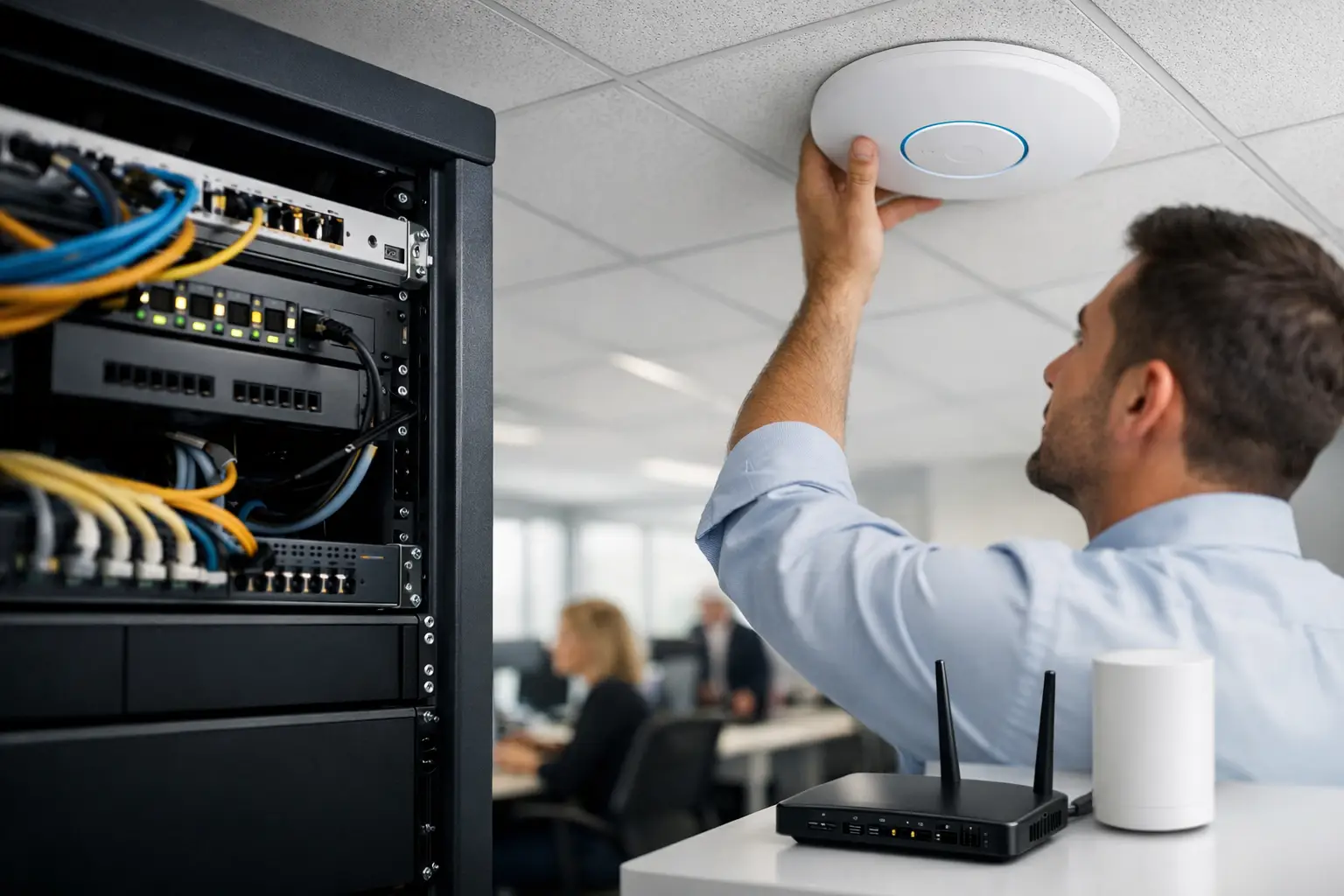
When staff start tethering to their mobiles because the office WiFi drops out in the boardroom, the problem is no longer minor. It affects meetings, cloud access, phones, scanners, EFTPOS, guest access and day-to-day confidence in your systems. That is why business grade wifi installation needs to be treated as core business infrastructure, not a quick add-on from the local office supply shop.
For many Brisbane and South East Queensland businesses, WiFi has quietly become the network. Laptops rarely plug in. Teams use cloud platforms all day. Printers, TVs, tablets, cameras and phones all want stable connectivity. If your wireless network is patchy, slow or insecure, staff lose time and customers notice.
What business grade wifi installation actually means
Business grade WiFi is not just stronger internet. It is a properly planned wireless network designed for your premises, device count, applications and security needs. That usually includes commercial access points, managed switching, sensible network segmentation, secure authentication and ongoing monitoring.
The difference matters because homes and businesses use wireless in very different ways. A home setup might support a few streaming devices and a laptop or two. A business may have dozens of users moving between offices, video calls running all day, cloud backups in the background, guest users on site and internet-connected equipment that cannot afford interruptions.
A good installation starts with business requirements, not hardware alone. A medical clinic will have different priorities from a construction office or legal practice. One may need reliable roaming between consulting rooms. Another may need separate wireless networks for staff, contractors and visitors. In a warehouse or larger site, coverage and interference become much more complex.
Why consumer WiFi usually falls short
The most common issue is not speed on paper. It is consistency under load. Consumer routers can look fine when only a handful of devices are connected, but performance can decline quickly once more users, more applications and more walls are involved.
Security is another weak point. Many smaller businesses still run a single shared WiFi password across every device and every user. That is easy to set up, but it is hard to control and harder to clean up when staff change, devices are replaced or guests have been given access over time.
Then there is management. If the only fix for poor coverage is unplugging the router and hoping for the best, you do not have much visibility. Business wireless should be manageable, supportable and designed so faults can be identified properly rather than guessed.
The planning stage matters more than most people expect
A successful wireless rollout starts well before equipment is mounted on ceilings. Site layout, building materials, user density and application needs all shape the design. Thick walls, glass partitions, metal shelving and neighbouring networks can all affect coverage and performance.
This is why access point placement should never be based on guesswork alone. More units do not automatically mean better WiFi. If they are positioned poorly or configured badly, they can create interference and make the network less stable.
A practical design process usually looks at how people actually work in the space. Where do staff spend most of their time? Which rooms host video meetings? Where are printers, scanners, VoIP handsets, cameras or specialised devices located? Are there dead spots in reception, upstairs offices or outdoor work areas? The answers shape the installation.
Key parts of a business wireless setup
The access points are the visible part, but they are only one piece of the job. A business wireless network also relies on switching, cabling, firewall configuration and internet capacity. If any one of those is undersized or poorly configured, the WiFi will wear the blame even when the real issue sits elsewhere.
Security settings are just as important. Staff networks, guest networks and device-only networks should usually be separated. That reduces risk and helps contain problems if a device is compromised. It also gives you more control over who can access what.
Authentication should fit the business. In some environments, a shared passphrase may still be workable for a small, stable team. In others, user-based access tied to business systems makes far more sense. The right answer depends on size, risk and how much control you need.
Business grade wifi installation and security
Wireless security is often treated as a technical detail, but it has clear business consequences. If your guest network can see internal devices, or your printer sits on the same network as every visitor who has ever asked for the password, you have an avoidable risk.
A better approach is to design the wireless network around trust levels. Staff need one level of access. Guests need another. Internet-connected devices such as cameras, TVs or smart equipment often need their own space as well. That way, one weak link does not expose everything else.
There is also the practical issue of staff turnover. In a business environment, access should be easy to update and remove. If every wireless device depends on one password that has been shared around for years, changing it becomes disruptive. Structured setup reduces that headache.
Performance is about more than internet speed
Businesses are often told they need a faster internet service when the real issue is poor wireless design. Internet bandwidth matters, but it is only part of the experience. If staff are connected to overloaded access points or weak signals, adding more bandwidth may not fix much at all.
The same goes for large premises. A single powerful router in the comms cupboard is rarely the answer. Wireless performance depends on coverage, signal quality and how devices move around the site. In offices with meeting rooms, partitions and multiple tenancy areas, design has a direct impact on usability.
Video calls are a good example. They are sensitive to delay, congestion and roaming issues. A network that seems acceptable for basic web browsing can still perform poorly for Teams or other cloud calling platforms. That is why testing should reflect real business use, not just a speed test result.
Different sites need different wireless strategies
A suburban professional office may need reliable coverage in work areas, boardrooms and reception, with secure guest access and support for cloud applications. A dental or medical clinic may place greater emphasis on dependable connectivity for specialised devices, front desk systems and private records access.
Warehouses, factories and transport operations bring different challenges again. High ceilings, metal racks, large open spaces and moving assets can all affect coverage. In these environments, placement and durability become more important, and design shortcuts usually show up quickly.
Multi-tenant buildings can also be tricky. Competing wireless networks from neighbouring suites may create congestion, especially in busy commercial precincts. Good configuration helps reduce interference, but it needs to be planned from the start.
Why ongoing support matters after installation
Wireless is not a set-and-forget service. Offices change, staff numbers grow, nearby networks shift and new cloud tools place different demands on the network. What worked two years ago may not be the best fit now.
That is where managed IT support becomes valuable. Monitoring, firmware updates, configuration reviews and troubleshooting all help keep the network reliable over time. If issues appear, they can be investigated with proper visibility instead of relying on trial and error.
For many small and mid-sized businesses, this is the real advantage of working with one technology partner. Your WiFi, switching, firewall, endpoints and internet connection are all part of the same environment. Problems can be assessed in context, and improvements can be planned with your broader operations in mind.
Choosing the right provider for business grade wifi installation
The best provider will not start by selling a box. They will ask about your premises, your users, your applications and the business impact of downtime. They should be able to explain the trade-offs clearly, including where a simple setup is enough and where a more structured design is worth the investment.
That matters because not every business needs the same level of complexity. A ten-person office has different needs from a multi-site operation with guest traffic, VoIP, cameras and compliance obligations. Good advice is practical, not inflated.
If you are reviewing business grade wifi installation, look for a provider that understands both infrastructure and business continuity. At Bridge IT, that means treating wireless as part of the wider IT environment so coverage, security and support work together rather than in isolation.
A reliable wireless network should disappear into the background. Staff connect, meetings run, devices stay online and your team gets on with the job. That is the standard worth aiming for, because when WiFi works properly, the whole business feels easier to run.
