

If you're running a small business in Brisbane or South East Queensland, ransomware probably sits in that uncomfortable category of risks you know matter but never seem urgent enough to tackle properly. You're juggling staff, clients, cash flow, software renewals, and the endless list of things that break at the worst possible time. Security often gets pushed down the queue until someone clicks the wrong email, a laptop goes missing, or a file server suddenly becomes inaccessible.
That's usually when owners start asking how to prevent ransomware. The hard truth is that prevention isn't one product and it isn't one setting. It's a small number of sensible decisions, done in the right order, with enough discipline to keep them working when the business gets busy.
For most Australian SMBs, the right roadmap is not “buy everything”. It's prioritise the controls that cut the most risk first, make sure recovery is realistic, and avoid complexity you can't maintain.
Table of Contents
- The Human Layer Your First Line of Defence
- Essential Technical Controls You Must Implement
- Hardening Your Microsoft 365 Environment
- Your Ransomware Recovery Blueprint Backups and Testing
- Advanced Network Protection to Contain Threats
- Creating Your Incident Response Plan Before You Need It
- When to Partner with a Managed Cybersecurity Specialist
The Human Layer Your First Line of Defence
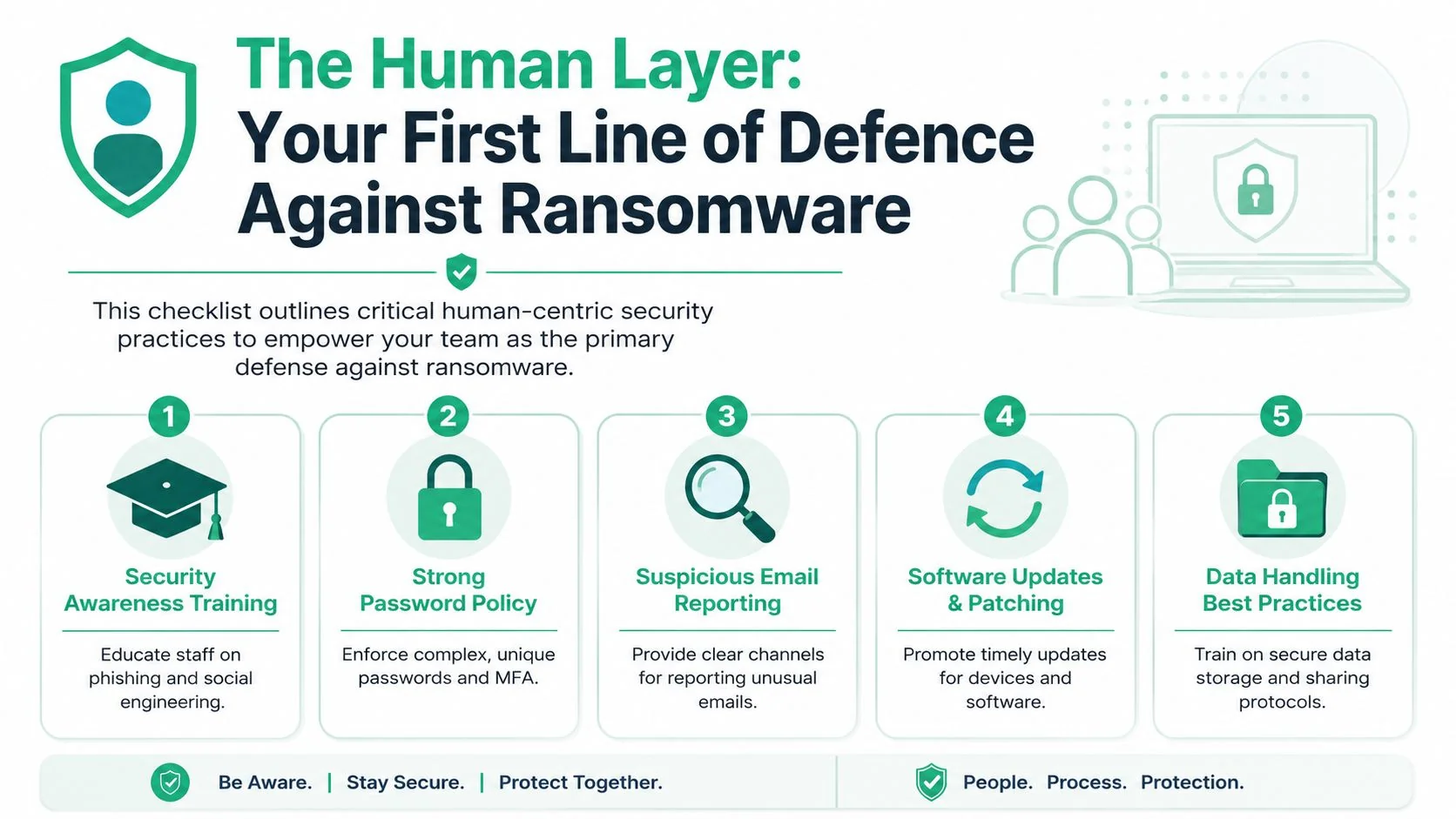
Technology helps, but most ransomware incidents still start with a person making a normal, understandable mistake. Someone opens a fake invoice, types their Microsoft 365 password into the wrong page, or approves a login prompt they shouldn't. That's why your first control isn't a firewall. It's staff behaviour.
Start with the ways staff can accidentally open the door
Begin with a short risk review. Not a formal, expensive project. Just map where your team handles email, downloads files, shares documents, logs in remotely, and approves payments.
Look for patterns like these:
- Shared accounts: multiple staff using the same login makes accountability disappear.
- Weak password habits: reused passwords still show up constantly in small businesses.
- Unclear reporting: staff often don't know who to tell when an email feels off.
- Bring your own device creep: personal phones and laptops transition into business endpoints.
- Too much trust in familiar names: fake emails often imitate suppliers, clients, and managers.
A practical starting point is to list the five people or roles in your business most likely to be targeted. Finance staff, practice managers, directors, and anyone with broad file access usually sit near the top. Criminals don't need everyone to fail. They need one useful entry point.
Build rules people will actually follow
The best security policy for an SMB is short, plain English, and specific. If it reads like legal boilerplate, staff won't use it.
Keep it focused on actions:
- Passwords must be unique for every business system.
- MFA is required on email, remote access, and admin tools.
- Unexpected attachments or login prompts get reported before being opened.
- Business files stay in approved systems such as Microsoft 365, SharePoint, or your managed file platform.
- Updates can't be postponed indefinitely on work devices.
Practical rule: If a policy needs a manager to explain it every week, it's too complicated.
It also helps to show staff that cyber risk isn't only a local issue. Even though your business is here in Queensland, attack patterns look similar across cities and industries. This piece on mitigating cyber risks in Atlanta is useful because it shows how common business systems and ordinary habits create exposure in any market.
Train for recognition not box ticking
Most security awareness training fails because it's treated as a yearly compliance exercise. Staff click through slides, forget everything, and go back to work. That doesn't change behaviour.
A better model is lighter and more frequent:
| Activity | What it should do | What to avoid |
|---|---|---|
| Short phishing drills | teach pattern recognition | trying to trick or embarrass staff |
| Monthly examples | show real scam styles your team sees | generic overseas examples with no relevance |
| Reporting practice | make it easy to raise a concern | forcing people through a long helpdesk process |
| Manager reinforcement | normalise asking before clicking | punishing caution |
Give people examples that match their day. A fake supplier invoice. A shared document prompt. A voicemail notification with an attachment. A courier delivery text. Those land because they feel routine.
For teams that need a simple refresher on day to day scam patterns, this guide on how to spot and avoid phishing scams and cyber fraud is a useful companion.
A cautious employee who reports a false alarm is helping. A silent employee who guesses wrong is where ransomware gets its foothold.
Essential Technical Controls You Must Implement
Once your staff habits are improving, the next layer is the technical baseline. These controls are not advanced. They're the minimum standard for a business that wants a realistic shot at preventing ransomware and limiting damage if something slips through.
The Australian Cyber Security Centre guidance puts offline, tested backups at the centre of defence and also recommends disabling unneeded RDP, enabling MFA at all remote access points, and applying least privilege because modern attackers often try to encrypt both primary systems and backups (ACSC aligned guidance).
Patch the obvious entry points
Patching is boring, which is exactly why it gets neglected. But it closes known holes that attackers already know how to exploit.
For a small business, patching should cover:
- Operating systems: Windows, macOS, server platforms.
- Business apps: accounting software, practice management systems, PDF tools, browsers.
- Network gear: firewalls, switches, wireless access points.
- Remote access tools: VPN appliances, remote desktop gateways, third party support agents.
If you want one practical rule, patch internet-facing systems first, then user devices, then everything else. Don't wait for a perfectly scheduled maintenance plan if a system is exposed.
Treat MFA like a lock on every external door
Passwords alone aren't enough anymore. If a staff member enters credentials into a fake login page, MFA is often the control that stops the next step.
Good MFA rollout usually follows this order:
- Email and Microsoft 365 first
- Remote access second
- Admin accounts before standard accounts if time is tight
- Finance and payroll systems early because they attract targeted abuse
The common mistake is partial rollout. One director account excluded for convenience, one old mailbox left untouched, one remote tool without MFA. Attackers look for the exception.
A simple analogy helps here. Passwords are keys. MFA is the deadbolt. You want both on any door that opens from the internet.
After the basics, this short explainer is worth sharing with internal decision makers because it shows why layered controls matter in practice.
Use endpoint tools that do more than old antivirus
Traditional antivirus mostly looked for known bad files. Modern ransomware can move too quickly and too stealthily for that to be enough on its own.
You want endpoint protection and, ideally, endpoint detection and response on every business device. In plain terms:
- Endpoint protection blocks common malware, malicious scripts, and suspicious behaviour.
- EDR records what happened, alerts on unusual activity, and gives someone a chance to isolate a device before the problem spreads.
If your current protection only tells you something bad happened after files are encrypted, it's not doing the job you need.
For many SMBs, Microsoft Defender for Business, Sophos, or similar managed platforms are sensible options. The key isn't brand loyalty. It's central visibility, consistent deployment, and someone actively reviewing alerts. A tool that no one monitors becomes shelfware very quickly.
Hardening Your Microsoft 365 Environment
For a lot of SMBs, Microsoft 365 is the primary front line. Email, files, Teams chat, OneDrive, SharePoint, identity, and often line of business integrations all sit there. If it's loosely configured, attackers don't need to break in through the server room. They log in through the front door.
Before and after your email security posture
A default setup often leaves too much trust in email. Users receive messages from outside the business, click links, open attachments, and interact with external file shares all day. That's normal work. It's also why email remains such an effective delivery path.
A more hardened setup changes the defaults:
| Before | After |
|---|---|
| broad attachment allowance | risky attachment types blocked or quarantined |
| minimal impersonation protection | anti-phishing policies tuned for executives, finance, and shared mailboxes |
| users decide what looks suspicious | banners, tagging, and filtering provide context |
| old sign in methods still enabled | legacy authentication disabled |
If you have Defender for Office 365, use anti-phishing policies properly. Don't leave them generic. Prioritise accounts that approve payments, manage rosters, handle patient information, or control confidential client files.
Tighten sign in controls without making life painful
Conditional Access is where many businesses either do too little or overcomplicate things. The smart path is narrower. Start with a few high-impact controls and build from there.
Focus on these changes first:
- Require MFA for all users, with no quiet exceptions.
- Block legacy authentication so old sign in methods can't bypass modern controls.
- Restrict admin access to specific accounts, not everyday user identities.
- Review external sharing in OneDrive and SharePoint, especially anonymous links.
- Alert on impossible travel, risky sign ins, and unusual mailbox behaviour if your licensing supports it.
The before-and-after difference matters. Before hardening, a stolen password may be enough to access email and file history. After hardening, the attacker has to get through MFA, policy checks, and sign in controls that notice something doesn't fit the normal pattern.
A secure Microsoft 365 tenant isn't built by turning on every feature. It's built by removing weak defaults and protecting the identities that matter most.
One more practical point. Backups for Microsoft 365 still matter. Deleted or encrypted cloud data, mailbox tampering, and accidental retention issues can all become recovery problems if your only assumption is “Microsoft has it”.
Your Ransomware Recovery Blueprint Backups and Testing
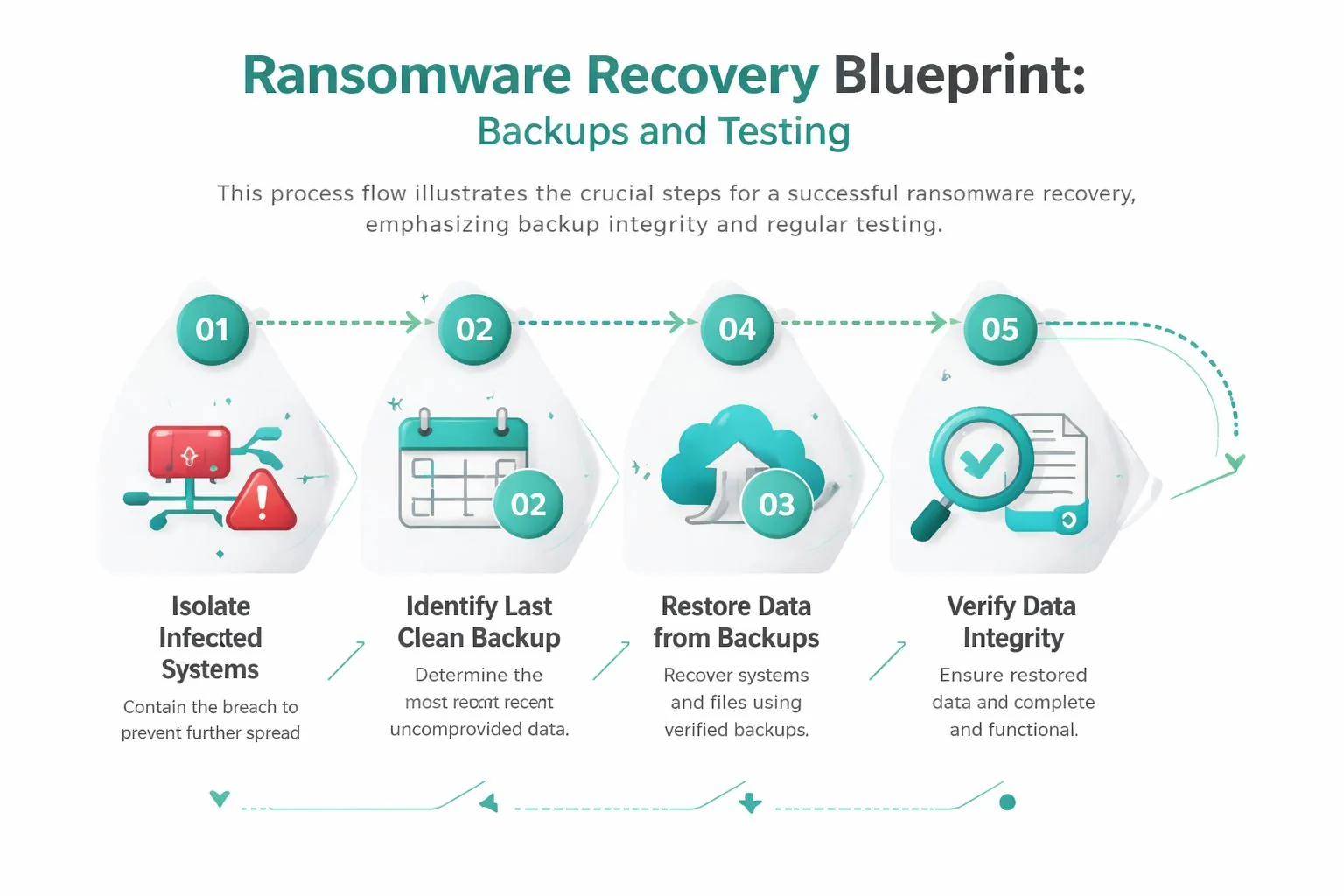
Backups are where ransomware prevention becomes business survival. If an attacker gets in and encrypts systems, the question is whether you can restore cleanly and keep operating. If you can't, the criminal holds power. If you can, the ransom demand loses much of its power.
That's why backup design deserves board-level attention in even a small business. It isn't an IT housekeeping task. It determines whether you're facing inconvenience or a genuine business interruption.
Why backup design matters more than backup marketing
The most dangerous phrase in this space is “we're backed up to the cloud, so we're fine”. Cloud-synced copies are useful, but they are not automatically isolated, immutable, or safe from the same credentials that protect your production systems.
The stronger benchmark for Australian SMBs is 3-2-1-1 with air-gapped recovery testing. The cited ACSC data says 60% of AU ransomware incidents involved attackers exploiting backup vulnerabilities, and firms using air-gapped immutable backups recover 4.5x faster, with median downtime dropping from 12 days to 2.7 days, yet only 35% of Queensland SMBs perform quarterly immutable restore tests (backup best practices for business data resilience).
That gap is where many small businesses get caught. They paid for backup software, but they never proved that recovery worked under attack conditions.
What a usable 3 2 1 1 setup looks like
In plain language, 3-2-1-1 means:
- Three copies of your data. Production plus backup copies.
- Two different media types. For example, local storage and cloud or another separate platform.
- One copy offsite. Not in the same office or dependent on the same event.
- One immutable or air-gapped copy. Something an attacker can't readily delete or encrypt.
That last point matters most. If the same admin credentials manage your Microsoft 365 tenant, backup console, and storage target, an attacker who compromises one privileged account can do much more than encrypt live data.
A practical SMB setup might include:
- Local image backup for fast recovery of servers or key workloads
- Cloud backup for offsite resilience
- Separate Microsoft 365 backup for Exchange, OneDrive, and SharePoint
- Immutable storage or air-gapped copy for worst-case restoration
Business reality: A backup that's connected, writable, and managed by the same compromised account may fail at the exact moment you need it.
Test restores like you expect to need them
Untested backups are hopeful copies. Tested backups are a recovery plan.
You don't need a huge disaster recovery program to start. You do need routine proof that your team can restore a file, a mailbox, a shared folder, and a critical system without improvising under pressure.
Use a simple quarterly rhythm:
| Test type | What to check |
|---|---|
| File restore | version history, permissions, speed |
| Microsoft 365 restore | mailbox items, OneDrive folders, SharePoint data |
| Server or system restore | boot success, app functionality, line of business access |
| Isolated validation | clean restore in a non-networked or tightly controlled environment |
If your environment is growing, this is often the point where outside help becomes worth it. Providers such as Veeam, Acronis, Microsoft-native tools, and managed backup services can all play a role, but the important question never changes. Can you restore what matters, in the order the business needs, without trusting compromised infrastructure?
Advanced Network Protection to Contain Threats
Once the basics are in place, the next lift in maturity is containment. You stop thinking only about blocking attacks at the front door and start designing the business so one mistake doesn't expose everything else.
That's where segmentation, controlled remote access, and least privilege start working together. I usually explain it to owners as digital bulkheads in a boat. Water may get into one compartment. The goal is to stop the whole vessel filling up.
Build bulkheads inside the business
A flat network is convenient. It's also generous to an attacker. If one user device can talk freely to file shares, server workloads, admin consoles, backups, and other desktops, ransomware has room to move.
The stronger model is to split access by business function and sensitivity. Finance shouldn't sit in the same open lane as every general workstation. Backup infrastructure shouldn't be broadly reachable. Admin tools shouldn't be visible to standard users.
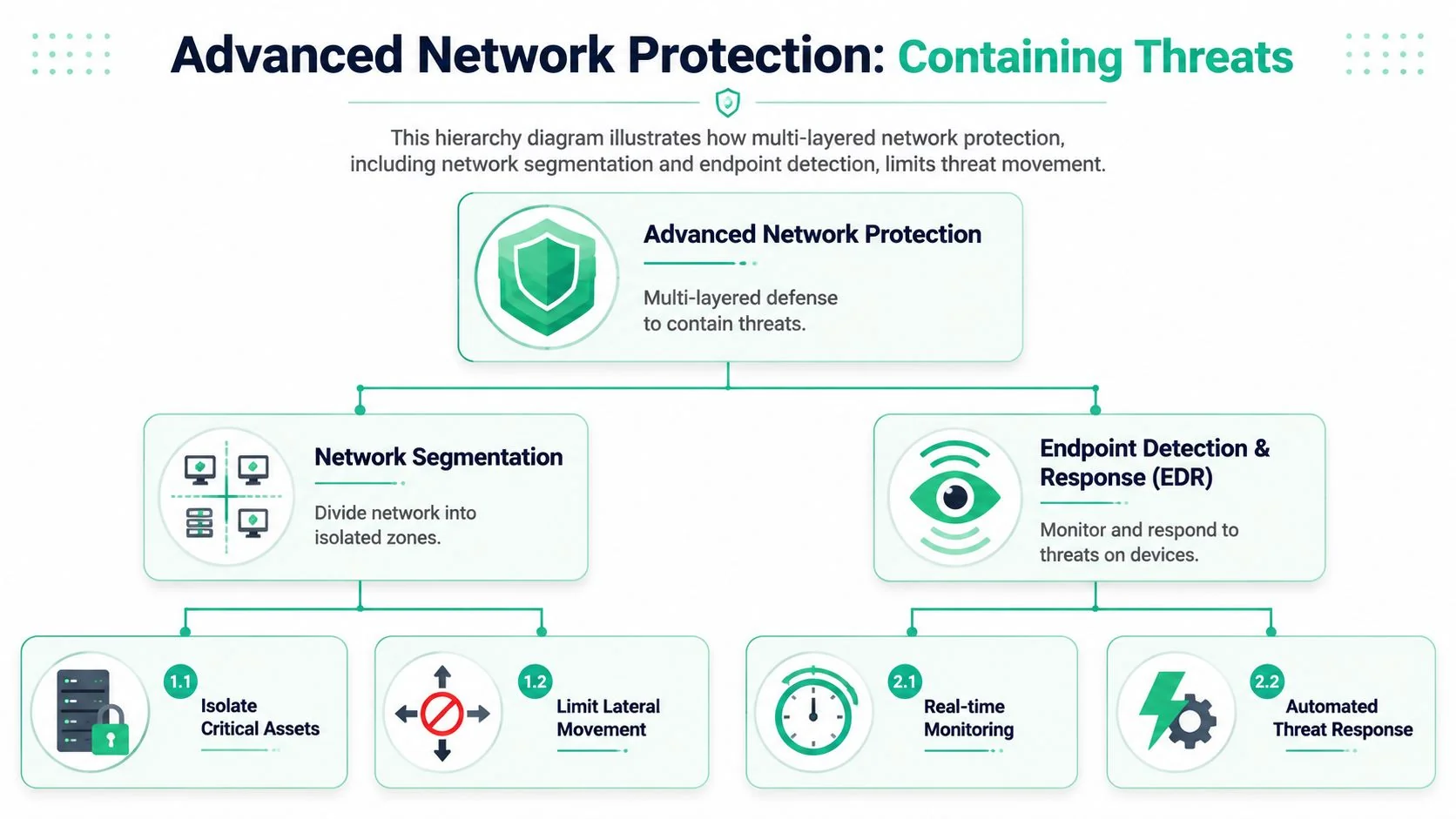
The stronger Australian benchmark here is clear. Micro-segmentation with ZTNA and MFA prevents 92% of lateral spread attempts in AU ransomware attacks, and organisations using that approach reduced successful lateral movement by 89%. It matters because 68% of incidents began with phishing followed by lateral movement. The same data notes a 65% reduction in breaches, but also a 30% failure rate due to misconfiguration, which is why design and ongoing review matter so much.
A sensible progression for an SMB looks like this:
- Disable unused RDP and old remote access paths
- Separate critical systems from everyday user devices
- Use ZTNA style access where possible instead of broad network exposure
- Protect all remote entry points with MFA
- Monitor endpoints and network events together so signs of movement aren't missed
Least privilege cuts the blast radius
Least privilege sounds technical, but the principle is simple. People and systems should only have the access they need for their role.
That means:
- staff don't use admin accounts for routine work
- software installers aren't available to everyone
- shared folders aren't open just because “it's easier”
- backup consoles and security tools stay restricted
- vendor access is temporary, approved, and reviewed
The shift here is subtle but powerful. Instead of asking, “Can we stop every malicious email?”, you start asking, “If one gets through, what can that user reach?”
Good containment doesn't rely on perfect prevention. It assumes one control will eventually fail and limits the damage that follows.
There is a trade-off. Segmentation and access control can frustrate staff if rolled out clumsily. That's why the design work matters. Start with your highest-value systems and your highest-risk pathways. Don't try to redesign the entire network in one sprint if your team can't support it.
For businesses with a growing mix of offices, remote staff, contractors, cloud systems, and compliance obligations, this is often where specialist support becomes more practical than internal trial and error.
Creating Your Incident Response Plan Before You Need It
When ransomware hits, delay causes damage. People argue about whether to shut down systems, who should call clients, whether insurance must be notified, and which backups are safe. That confusion is avoidable if you make the decisions before the crisis.
A small business incident response plan doesn't need to read like an enterprise manual. It needs to tell your team what to do, who decides, and how to communicate when normal systems may not be available.
Decide roles before there is pressure
At minimum, assign these roles:
| Role | Responsibility |
|---|---|
| Business lead | makes operational decisions and approves external communication |
| IT lead or provider | isolates systems, preserves evidence, coordinates recovery |
| Client contact | handles messaging to customers, suppliers, and partners |
| Compliance or legal contact | checks notification and contractual obligations |
| Finance contact | manages payment controls and fraud checks during disruption |
Keep out-of-band contact details in the plan. Personal mobiles, alternate email addresses, and a secure copy of the document stored somewhere staff can access if Microsoft 365 is affected.
If you want a broader operational reference, this guide to building incident response is a helpful planning resource because it focuses on readiness, not panic.
Keep the first hour simple
Your first-hour checklist should be blunt and practical:
- Isolate affected devices from the network.
- Stop remote access if you suspect compromise is spreading.
- Contact your IT lead or provider immediately.
- Preserve logs and evidence where possible.
- Check whether backups appear untouched before making recovery assumptions.
- Pause sensitive transactions such as payroll changes or supplier bank detail updates.
- Switch to approved alternate communications if email is unreliable.
The plan should remove debate, not create paperwork.
Run a tabletop exercise once in a while. Pick a realistic scenario and walk through who does what. You'll usually find missing phone numbers, vague responsibilities, or assumptions that don't hold up when systems are down. That's exactly the point of the exercise.
When to Partner with a Managed Cybersecurity Specialist
Some businesses can handle a fair bit internally. Many can't, and that's not a failure. Ransomware defence is now a mix of user training, Microsoft 365 hardening, endpoint monitoring, backup design, access control, and incident readiness. If no one owns that stack properly, gaps appear.
Signs the DIY approach has run its course
Ask yourself these questions:
- Are security alerts being reviewed consistently, or ignored until someone has time?
- Do you know who checks backup restore results and failed jobs?
- Can your team harden Microsoft 365 and maintain those settings as staff and devices change?
- Are remote access, endpoint protection, and user access rights reviewed on a schedule?
- Would you know exactly who to call if ransomware activity started this afternoon?
If several of those answers are uncertain, outside support is usually the more sensible path. Managed security doesn't replace business ownership. It gives you people, process, and coverage you're unlikely to build cheaply in-house.
For Queensland SMBs, that often means working with an IT partner that can manage endpoint protection, Microsoft 365 security, backups, simulated phishing, and response support under one operating model. If you're weighing that option, this article on why managed security services matter is a practical place to start. Bridge IT Solutions is one local option that provides managed cybersecurity services for SMB environments, alongside broader IT support.
If you want a clearer view of your current ransomware risk, Bridge IT Solutions can help you assess the gaps that matter most, prioritise fixes that fit your budget, and put a practical recovery plan behind your day-to-day operations.
